
▶ Assets > Spaces > Space card > ARCHIVE
When a Space is no longer in use - for example, it has been permanently decommissioned, repurposed outside of leasing, merged into another Space, or otherwise removed from operational use - it can be Archived.
Archiving the space means, that starting from the Archiving date this Space effectively no longer exists. Meaning, it is removed from the Building Leasable area calculations and from use in Rental Contracts and Costs.
Archiving allows you to:
- Maintain clean and current data in your Spaces portfolio without permanently deleting history
- Prevent accidental reuse of outdated or obsolete Spaces in new contracts or planning
- Preserve historical analytics — because archived Spaces remain accessible for reporting, you can still see how they contributed to past performance metrics
Hint: If you want to re-use the Space in the future, e.g. the space is temporary removed from the Total Leasable are, Archiving is not a good option.
Soon we will offer possibility to change the Space from Leasable to Non-leasable and vice versa. Important: Archiving a Space in Moderan is not reversible (even by Admin users). Once a Space is archived, it cannot be un‑archived or restored. If a Space is archived by mistake, please contact Moderan support for assistance at support@moderansolutions.com
Effects of Space Archiving
On the Date archived the Space:
- Is removed from active Spaces lists - this means you cannot add it into the Rental Contracts, into Space sets in the Costs and link it with Meters
- Is unlinked from Meters in Costs - this means you should review, if this meter goes out of use or should be linked to another Space
- Is removed from the Building Leasable area and Cost Distribution area - this means, that the m2 will be decreased by this Space size
- Is automatically moved into the ARCHIVE section in Assets > Spaces list view. The archived Spaces remain visible in Moderan for historical reporting. This ensures that reports referencing past leases and space usage remain intact.

Hint: Spaces list (Assets > Spaces) consists of two views:
- All Active Spaces (Rented-out, Vacant, Non-leasable)
- Archived

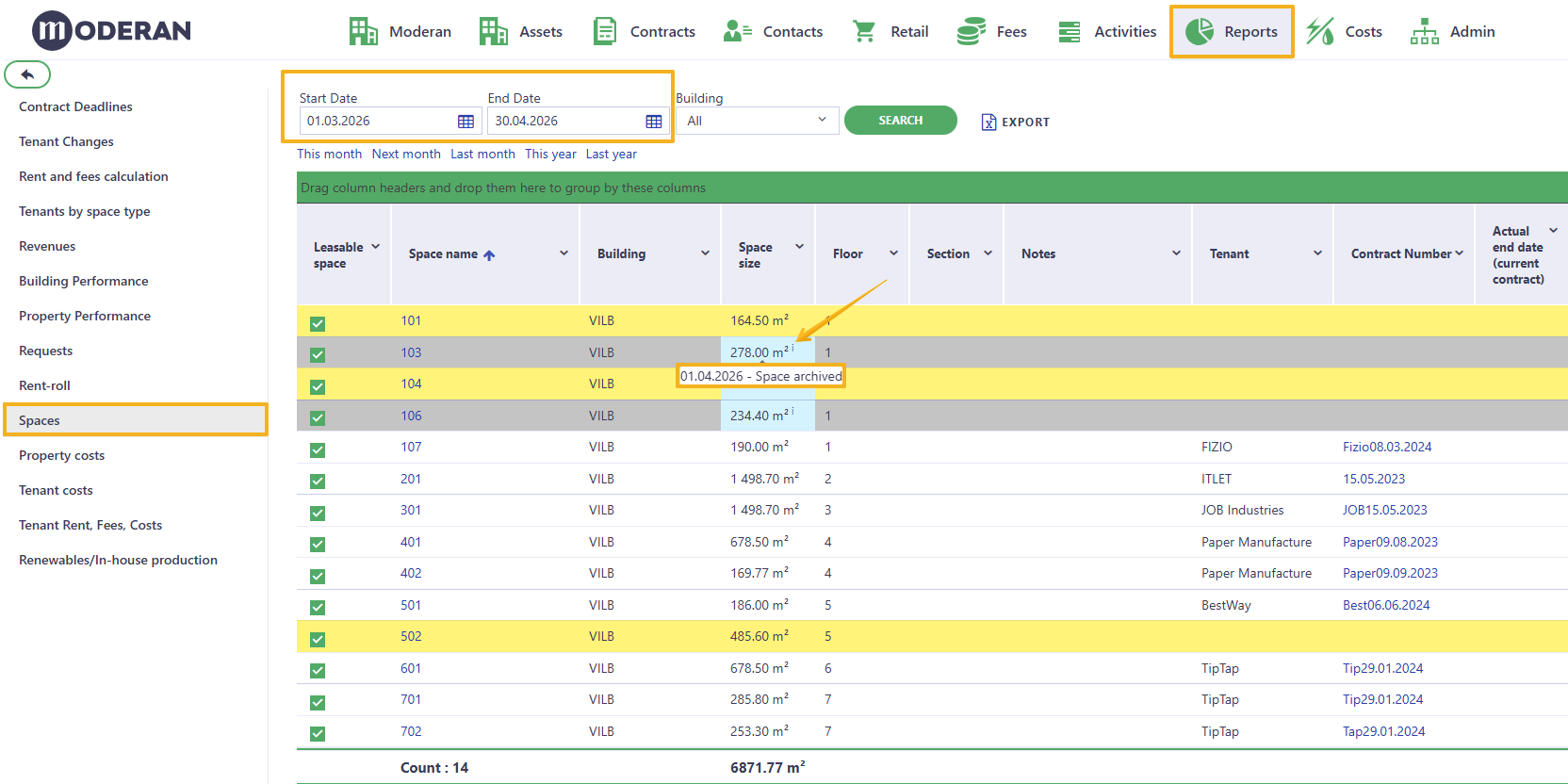
If you want to see all Spaces for certain date in one view, you can do that in the Reports > Spaces
Restrictions to Archiving
You cannot Archive the Space, if:
1. This Space has a Space sizes row with Start date same or later than Date archived - because once the Space is archived it no longer exists from that date onwards, so future Space size changes are not possible
and/or
2. This Space has Meters linked and these meters have Current readings after Date archived - because current Readings indicate that costs have been calculated for this Space after Archiving date and archiving this space would delete these costs and consequently may change the costs for other tenants. Therefore, the user must knowingly review and correct the respective costs and Readings before Archiving the space.
If you still want to proceed with Archiving the Space, you have to first remove these.
How to Archive a Space
▶ Assets > Spaces > Space card > ARCHIVE
- Go to Assets > Spaces
- Open the specific Space card you want to archive
- Click ARCHIVE at the top of the Space card
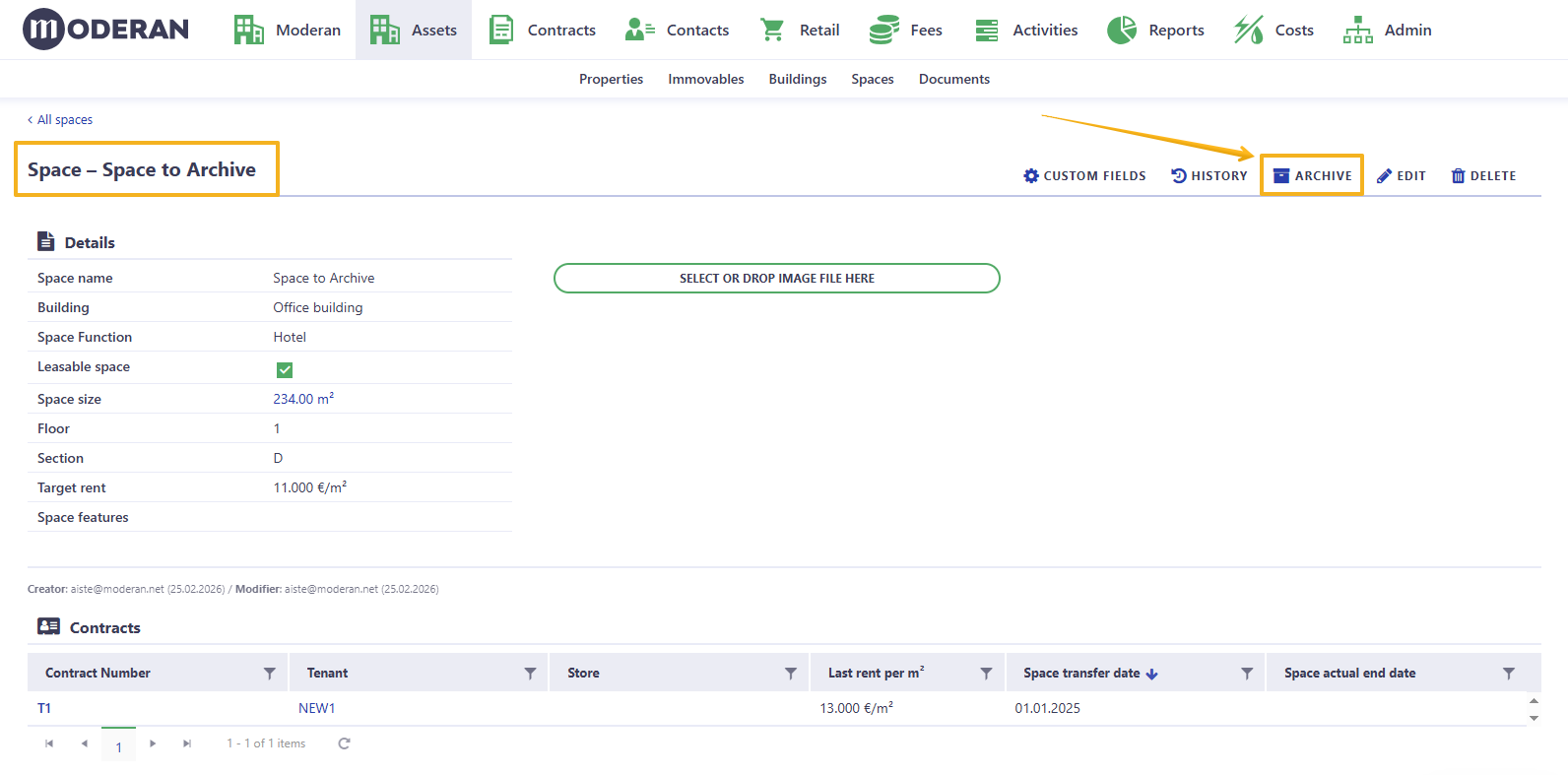
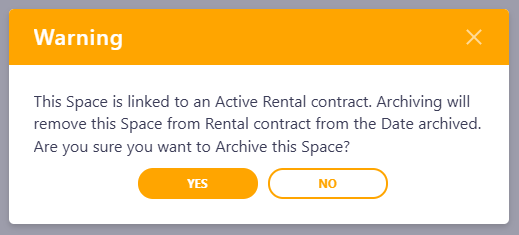
NB! If the space is linked to the Rental Contract, you will get the Warning message:
- Fill in these fields in the Archiving pop-up table:
- Date archived - the effective date when this Space will be considered inactive. This date impacts relevant area and linked Rent calculations as well as reporting. To avoid changing historic data we recommend Archiving with the current or future date, if possible.
- Reason - a brief reason for archiving (e.g., Decommissioned, Merged with Space X, etc.)
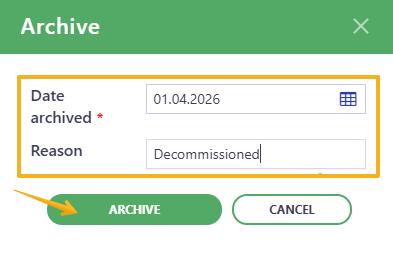
NB: Because archiving is irreversible, make sure the date and reason are correct before confirming.
It is very important to understand, that Space archiving directly affects Buildings' Leasable area and changes in the Leasable area affects Cost calculations (General costs split).
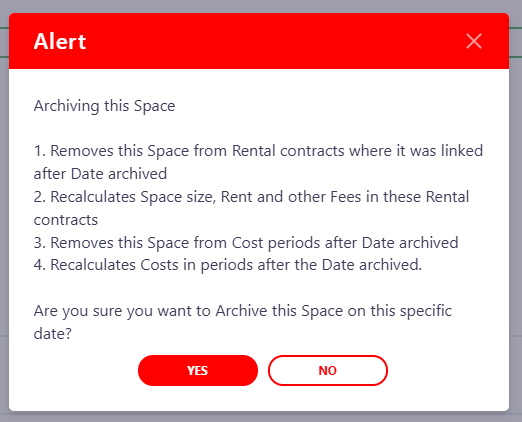
If you do have to Archive the Space with the past date keep in mind, that it will change all the Rent and Costs calculations from that date onwards. Be extra careful with such Archiving.
When Archiving date is in the past, Moderan gives an Alert, warning you about the possible consequences.
Hint! Explore more articles in the Moderan Knowledge Base. If you have any questions or need assistance, feel free to contact us at support@moderansolutions.com