▶ Assets > Properties > Property card > ARCHIVE
When the Property is sold, demolished, or transferred to another Landlord, you can Archive it:
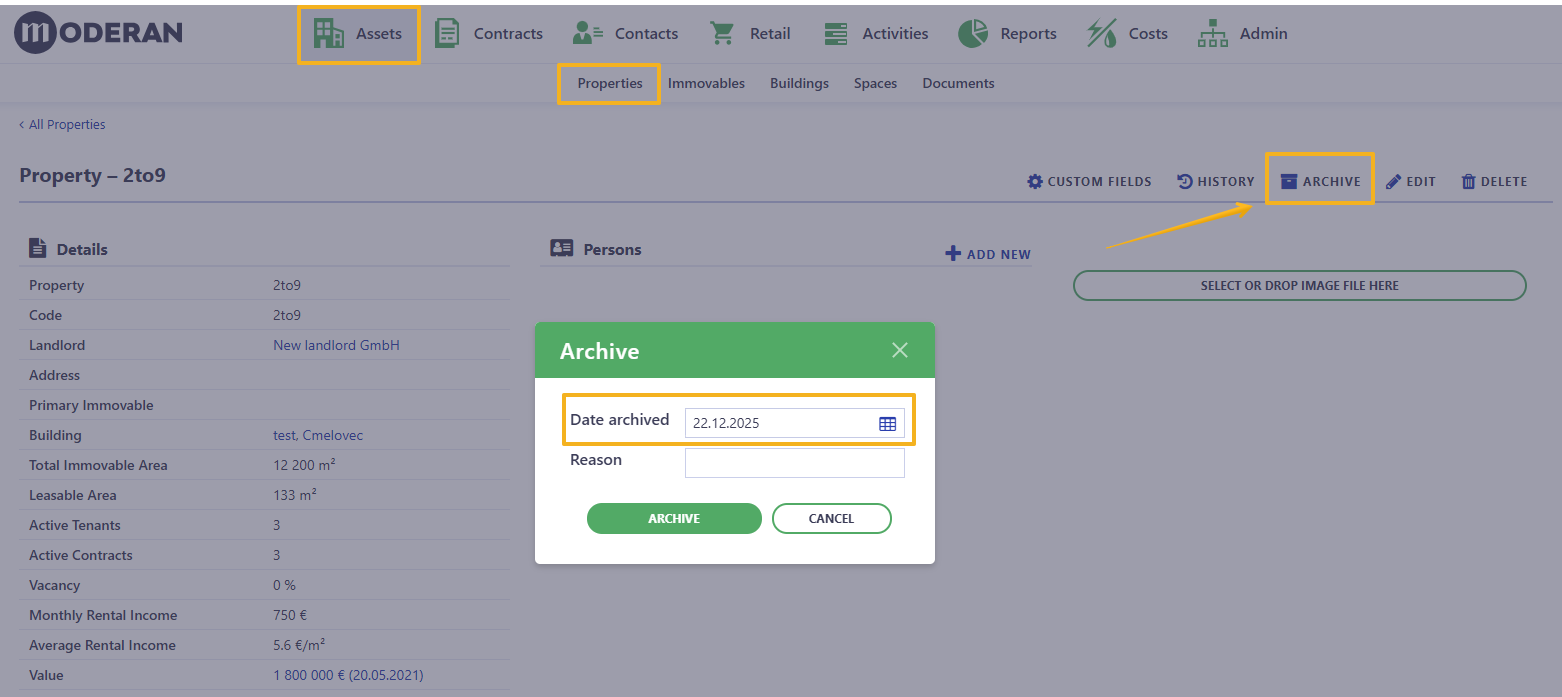
Fields to fill:
- Date archived - the specified date to end all calculations (in Rental Contracts and Costs). If, for example, the Property is sold, but you still want to see the Revenues, the date is the most important.
- Reason - Sold, Transferred, Demolished, etc.
NB! Archived Property cannot be undone or redacted by user, even with Admin rights. If the property has been archived by mistake or Archiving date is not correct (it has direct impact on the Reports), please contact Moderan support - support@moderansolutions.com
When the first Property is Archived, the Group ARCHIVE will be created automatically under the Main Property filter:
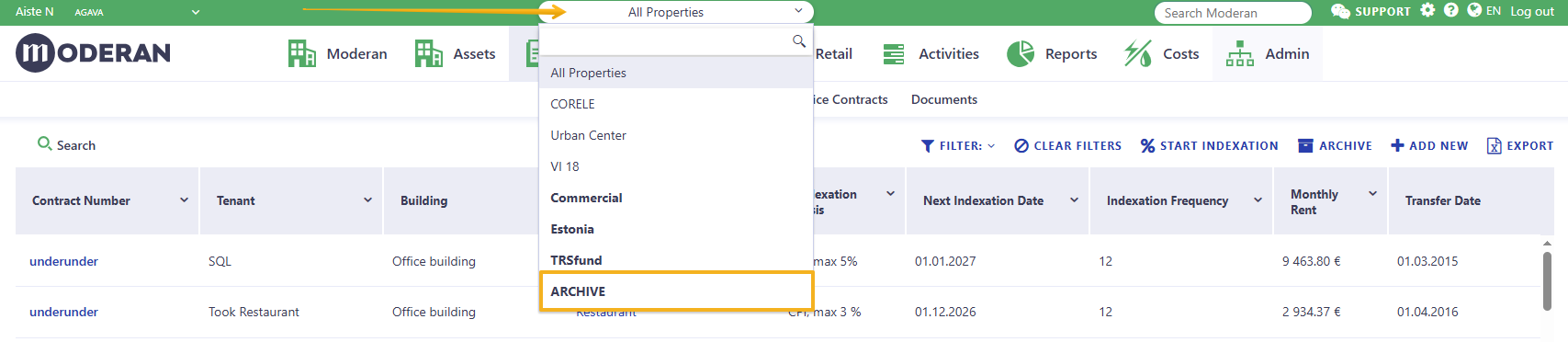
Hint: Archived Properties can be viewed by every User, that had access to these Properties before.
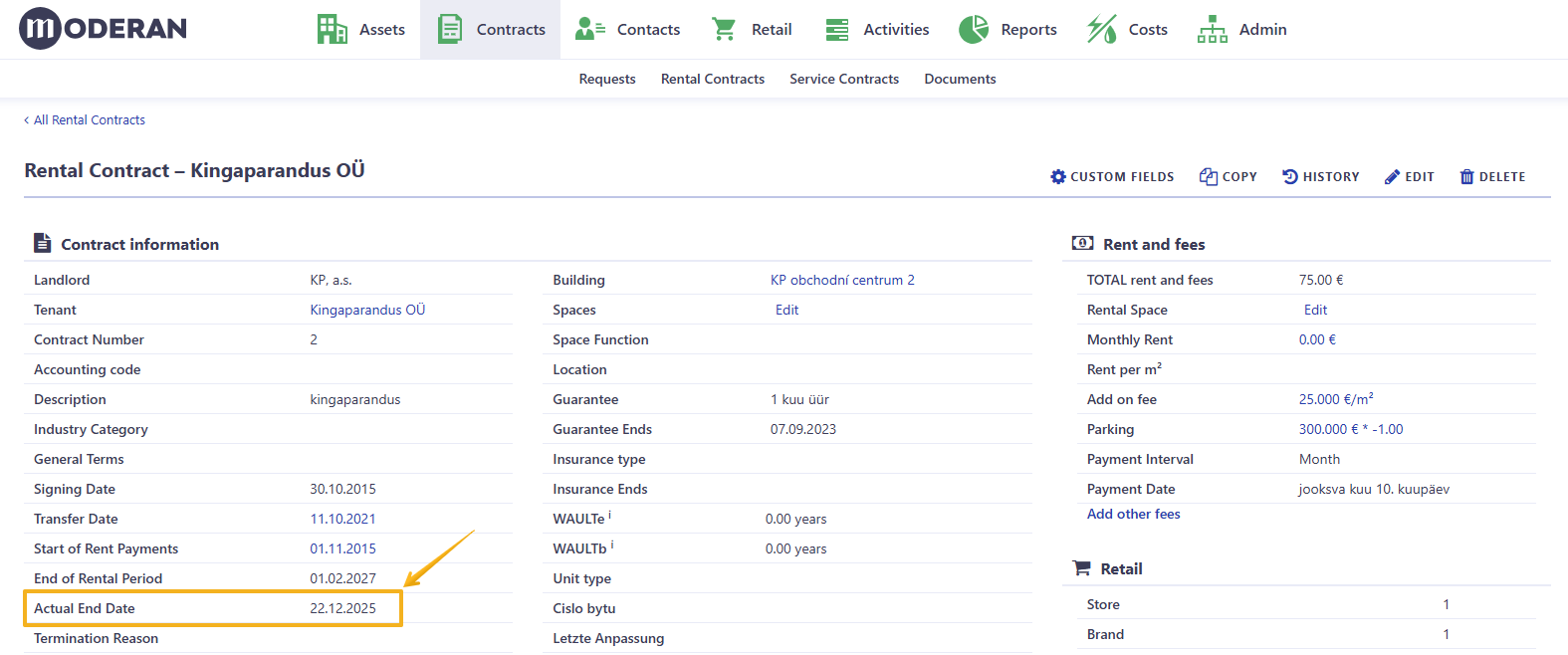
Archiving a property automatically sets the Date Archived as the Actual End Date for all Rental Contracts associated with that property. By default, setting an Actual End Date archives the Rental Contract (moves it to the ARCHIVE section in the Rental Contracts list) and stops all Rent, Fees, and Cost calculations.